
DA-HelpCreator2.4.0 - Download
You'll be able to download in few seconds.
Publisher Description
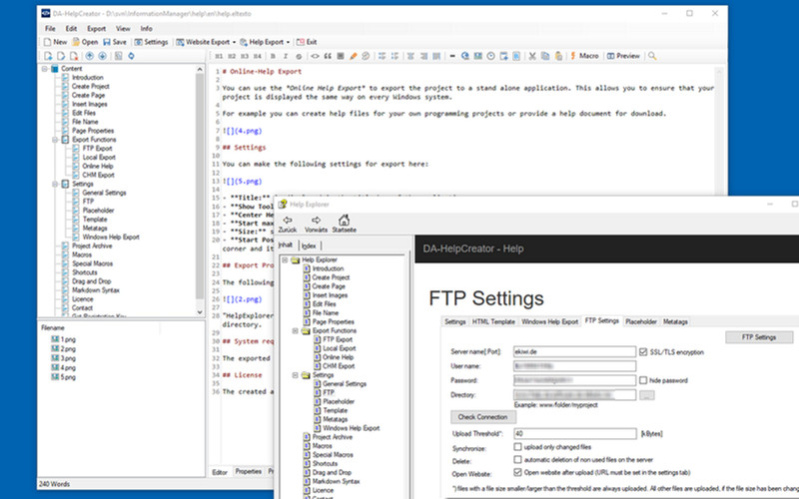
DA-HelpCreator helps you to create online help and documentation. It doesnt matter if you as a software author want to create an online help in Windows CHM-Format or a FAQ page for the internet. DA-HelpCreator allows you to get started quickly and concentrate on the essentials: the content.
The input is done in the simple markdown syntax. Layout and content are separated. You can choose from customizable templates for Export to HTML or the Compiled Help Format (CHM) from Microsoft. You want to offer the content online as a website or help file? No problem, with the FTP upload you can upload the project as a website to your webspace. Another click and you will have the same content as searchable help file on your computer.
DA-HelpCreator automatically generates navigation elements, tables of contents, sitemaps and links. If the structure of the website changes, it will be updated automatically the next time you export.
The generated HTML code is based on the well-known bootstrap framework. It is completely responsive and can therefore be used without any problems on mobile devices such as smartphones or tablets.
About DA-HelpCreator
This Help Tools program is available in English, German. It was last updated on 29 September, 2026. DA-HelpCreator is compatible with the following operating systems: Windows.
The company that develops DA-HelpCreator is Dunkel und Iwer GbR. The latest version released by its developer is 2.4.0.
The download we have available for DA-HelpCreator has a file size of 19.9 MB. Just click the green Download button above to start the downloading process. The program is listed on our website since 2019-06-18 and was downloaded 0 times. We have already checked if the download link is safe, however for your own protection we recommend that you scan the downloaded software with your antivirus. Your antivirus may detect the DA-HelpCreator as malware if the download link is broken.
How to install DA-HelpCreator on your Windows device:
- Click on the Download button on our website. This will start the download from the website of the developer.
- Once the DA-HelpCreator is downloaded click on it to start the setup process (assuming you are on a desktop computer).
- When the installation is finished you should be able to see and run the program.
Program Details
System requirements
Download information
Pricing
Version History
version 2.4.0
posted on 2019-06-18
- Better auto completion for HTML tags
- auto save
- bug fixes
version 2.3.0
posted on 2019-05-01
- Autocompletion for HTML code in markdown and HTML code editor
- Automatic completion of certain characters in the markdown editor, e.g. *, ' or (
- Insertion of abbreviation snippets via the context menu in the editor
- image inscriptions
version 2.2.0
posted on 2018-12-23
- PDF export for articles
version 2.1.0
posted on 2018-09-23
- WYSIWYG editor
- improved multi threaded FTP upload
version 2.0.0
posted on 2018-01-27
- Windows Help Export (CHM)
version 1.5
posted on 2017-07-19
- new template clean slate
- bugfixes
Disclaimer
External Download
We do not host DA-HelpCreator on our servers. We did not scan it for viruses, adware, spyware or other type of malware. This app is hosted by the software publisher and passed their terms and conditions to be listed there. We recommend caution when installing it.
The external download link for DA-HelpCreator is provided to you by apps112.com without any warranties, representations or guarantees of any kind, so access it at your own risk.
If you have questions regarding this particular app contact the publisher directly. For questions about the functionalities of apps112.com contact us.
